HTMLSnippet
This is a control that allows direct usage of HTML tags.
You can use any HTML tags in this control. It can show dynamic sizes based on the content size in both flow layout and vertical layout.
Control component
Description on the screen composition of HTMLSnippet
Control component
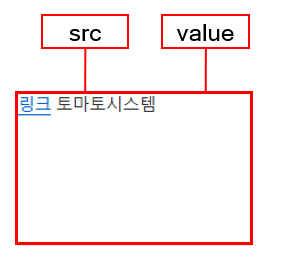
Component
| Component | Type | Description |
|---|---|---|
| src | string | Property for displaying HTML tags fetched from a URL. |
| value | string | Property for displaying the HTML tag. |
Example: Using the component
var htmlSnippet = app.lookup("snippet1");
/* URL, where the tag text will be fetched */
htmlSnippet.src = "html/snippet.txt";

/* Express in the tag text format */
htmlSnippet.value = 'linkTomato System';
Style component
Style of the HTMLSnippet.
CSS style composition

Component
| Component | Description |
|---|---|
| cl-htmlsnippet | Overall style of HTMLSnippet. |
Changing the style property by using the CSS file
@CHARSET "UTF-8";

/* Default style of the html object */
.cl-htmlsnippet{
	border: 1px solid black;
}
Styler composition
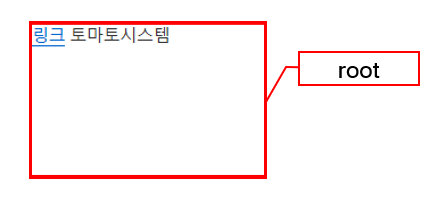
Changing the style property by using the styler
// UI Configuration
var htmlSnippet_1 = new cpr.controls.HTMLSnippet("snippet1");

/* Default style of HTMLSnippet (You can use JSON data to configure multiple settings.) */
htmlSnippet_1.style.css({
	"border": "1px solid red",
	"border-radius": "10px"
});

/* Default style HTMLSnippet(When setting a single style, you can configure it as follows:) */
htmlSnippet_1.style.css("border", "1px solid red");
Example
HTMLSnippet allows displaying HTML text that is written through web or value.
var htmlSnippet_1 = new cpr.controls.HTMLSnippet("snippet1");

/* URL, where HTML text is fetched */
htmlSnippet_1.src= "html/snippet.txt";
Related API: src , HTMLSnippet API overview