Shell
It is a control that allows you to embed third-party widgets.
The shell is a control that allows you to register and use user libraries. User libraries can be utilized as components within the shell.
Control component
Description for composition of the shell's screen

Component
| Component | Type | Description |
|---|---|---|
| component | any | User library that is embeded within the shell. |
Example: Using the component
var shell = app.lookup('shell1');
/* Register a component in a shell with a name 'd3'. */
shell.registerComponent('d3', content);  //content: Content of the 'd3' in the user library

/* Import a component named 'd3' from shell. */
shell.getComponent('d3');  //content
Style component
You can apply styles to the shell that encapsulates the user library.
Theme file: None
Component
| Component | Description |
|---|---|
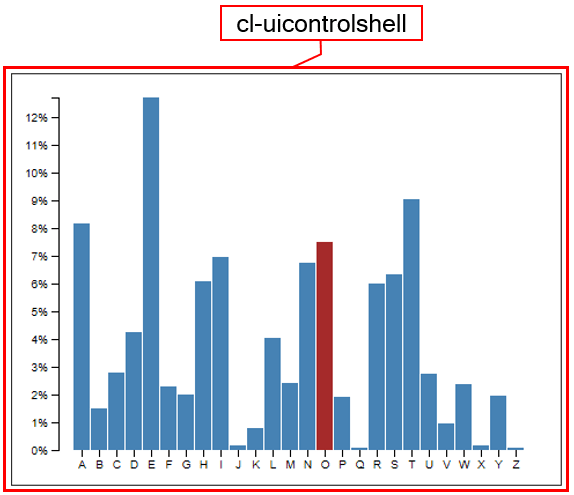
| cl-uicontrolshell | Overall style of the shell. |
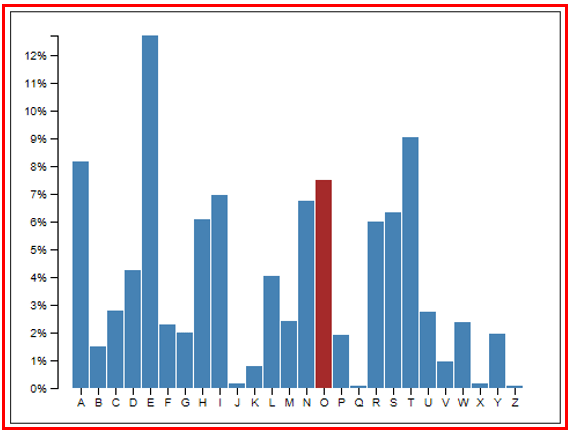
Changing the style property by using the CSS file
@CHARSET "UTF-8";

/* Default style of the shell */
.cl-uicontrolshell {
	background-color: yellowgreen;
}
Changing the style property by using the styler
// UI Configuration
var shell_1 = new cpr.controls.UIControlShell('shell1');

/* Shell's style */
/* (Multiple settings can be configured using JSON data.) */
shell_1.style.css({
	"color" : "red"
});

/* Default style of the shell (For single selection)*/
shell_1.style("padding", "2px");
Example
The shell configures the user library through the 'load' and 'init' events. During this process, components are registered and then retrieved and used in other events or methods.
var shell_1 = new cpr.controls.UIControlShell('shell1');

function shellInit(e){
	var content = e.content;

	consoel.log("init event has occurred");
}

function shellLoad(e){
	var shell = e.control;
	var content = e.content;
	if(!content){
		return;
	}

	var component = userLibrary.init(content);
	var option = {
		option1 : "option1",
		option2 : "option2",
		option3 : "option3"
	};
	component.setOption(option);

	shell.registerComponent("userLibrary", component);

	console.log(shell.getComponent("userLibrary"));
}

var shell_1.addEventListener('init', shellInit));
var shell_1.addEvnetListener('load', shellLoad));
Example: executing a shell load event once
There are cases where the data being edited disappears due to the phenomenon of redrawing when using charts or editors. Here is an example that ensures the shell 'load' event is executed only once/*
* Call when an init event occur from the shell.
*/
function onShl1Init(/* cpr.events.CUIEvent */ e){
/**
* @type cpr.controls.UIControlShell
*/
var shl1 = e.control;
if(e.content){ //In the initial 'init' event, e.content is null. Starting from the second event, it contains the DOM.
e.preventDefault(); // Prevents the occurrence of the next 'load' event in the shell.
}
}
/*
* Call when a load event occur from the shell.
*/
function onShl1Load(/* cpr.events.CUIEvent */ e){
//Uses the plugin during the initial 'load' event.
}
Related API: registerComponent , getComponent , addEventListener , Shell API overview