Text area
A control that can input multiple lines of texts.
If the entered text exceeds the width, it will automatically wrap to the next line.
Users can freely input and output text.
| Boundary | Key | Action |
|---|---|---|
| Text | Changing line of the text area |
Web accessibility
Need to provide a label.
-
Configure the fieldLabel property and provide a label at the text area.
Example
var textArea = app.lookup("txa");

textArea.fieldLabel = "Self introduction"
Control component
Description on the text area screen composition

Component
| Component | Type | Description |
|---|---|---|
| text | String | Text that is displayed in the text area. |
| placeholder | String | Placeholder that is displayed in the text area. |
Example: Using the component
var textArea = app.lookup("txa1");

/* Description or hints for the text area input or expected values. */
textArea.placeholder = "tomatoSystem";

textArea.value = "sinse 2000";
console.log(textArea.length);
Style component
Theme file: textarea.part.less

Component
| Component | Description |
|---|---|
| cl-textarea | Text area style. |
| cl-text | Text style of the text area. |
Changing the style property by using the CSS file
@CHARSET "UTF-8";

/* Default style of the text area */
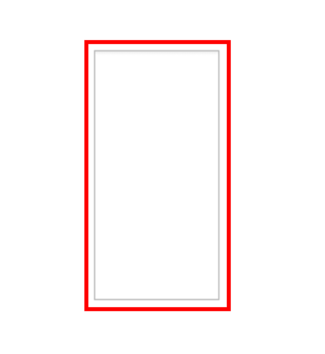
.cl-textarea{
	font: 11pt sans-serif;
	border: 1px soild red;
	color: green;

}
Changing the style property by using the styler
// UI Configuration
var textArea_1 = new cpr.controls.TextArea("txa1");

/* Default style of the text area */
/* Multiple settings can be configured using JSON data. */
textArea_1.style.css({
	"border": "2px solid red",
	"color": "green"
});

/* Default style of the text area */
/* When configuring a single style, you can set it as follows: */
textArea_1.style.css("border", "2px solid red");
Example
Create text area
Example on creating the text area.
var textArea_1 = new cpr.controls.TextArea("txa1");
var textArea_2 = new cpr.controls.TextArea("txa2");

/* Order when the tab key is pressed */
textArea_1.tabIndex = 1;
textArea_2.tabIndex = 2;

/* Maximum letter count that can be inputted into the text area */
textArea_1.maxLength = 5;

/* Move focus to the next control when the input string reaches the maxLength.*/
/* If the maxLength attribute exists, it operates according to that attribute */
textArea_1.autoskip = true;
Related API: tabIndex , maxLength , autoSkip , TextArea API overview
String length of the text area
Example: length unit of the string text area.
var textArea_1 = new cpr.controls.TextArea("txa1");

/* Configure the string length unit of the text area */
/* char: length of the character  */
/* utf8: utf8 standard character  byte size */
/* ascii: ascii standard character  byte size */
textArea_1.lengthUnit = "utf8";

console.log(textArea_1.length);
Related API: lengthUnit , length , TextArea API overview
Text area scroll
Example of scrolling a text area to the end.
var textArea_1 = new cpr.controls.TextArea("txa1");

/* Configuration of text area scroll */
textArea_1.value = "tomatoSystem since 2000";
textArea_1.scrollToBottom();
Related API: scrollToBottom , TextArea API overview
Specify the selection
You can set the text area block.
var textArea_1 = new cpr.controls.TextArea("txa1");

textArea_1.value = "tomatoSystem";

/* cursor(start, end, text) */
/* The cursor is information that includes the starting position, ending position, and selected text of the text cursor.  */
/* start: number, end: number, text: string */
textArea_1.setSelection({
	start : 0,
	end : 6,
	text : "tomato"
});
Related API: setSelection , value , TextArea API overview