Create new eXBuilder6 file
The User can create new eXBuilder6 files from a created project. To enable building, the eXBuilder6 file should be stored in clx-src/ (Source path) path of the Project.
- Create new file by selecting Project or folder from explorer using context menu or File > New > New eXBuilder6 file from global menu.
- Create new file from Context menu
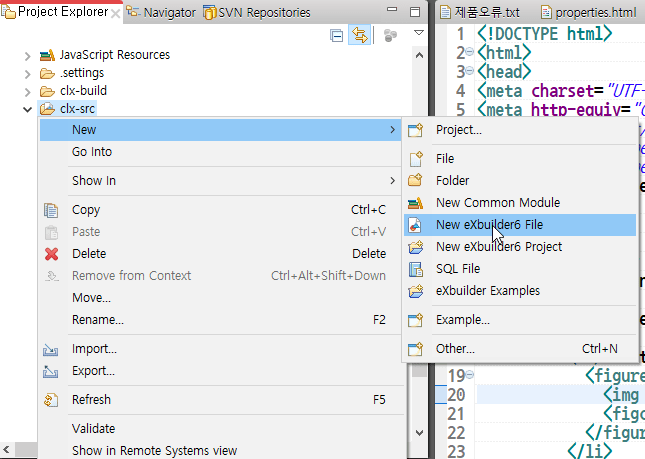
New > New eXBuilder6 file - Create new file from Global menu
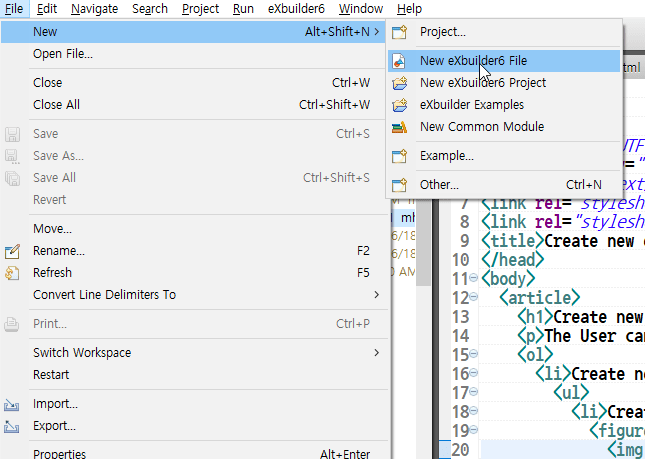
File > New > New eXBuilder6 file
- Create new file from Context menu
- Specify path and file name to save the first page and press [Next] button in new eXBuilder6 file Wizard.
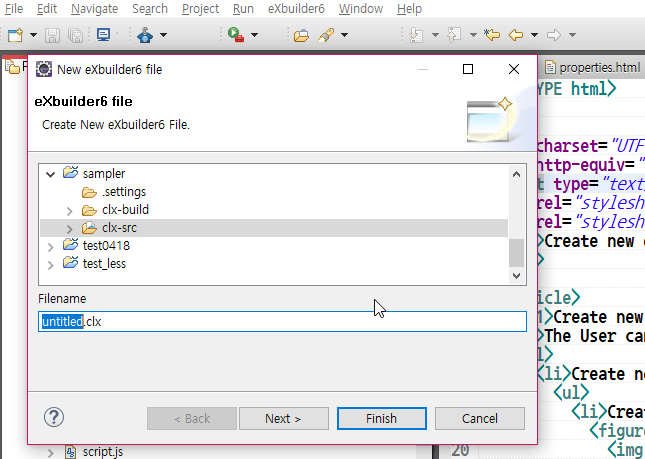
New eXBuilder6 file creation Wizard 1 - Next, the user can build a screen in the screen configuration page, which is supported by an App in the Interactive Layout. PC, tablet, and mobile are provided by default. Once the settings are completed press [Finish] to create file.
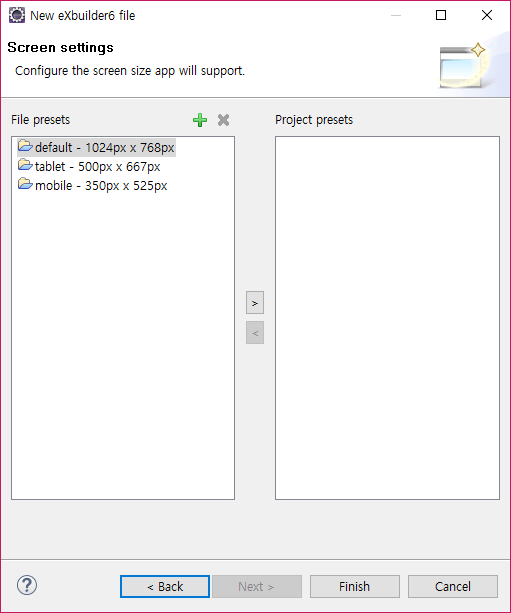
New eXBuilder6 file creation Wizard 2 - Once file creation Wizard is completed, the file appears in Explorer and Design screen pops up.
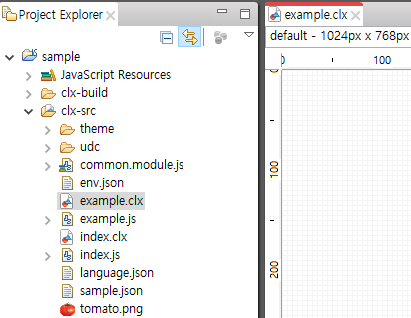
Created file and opened Design Editor